
Latest Version v4.2.1

Download the bdgogame App — The Best Mobile Gaming Experience on Android & iOS

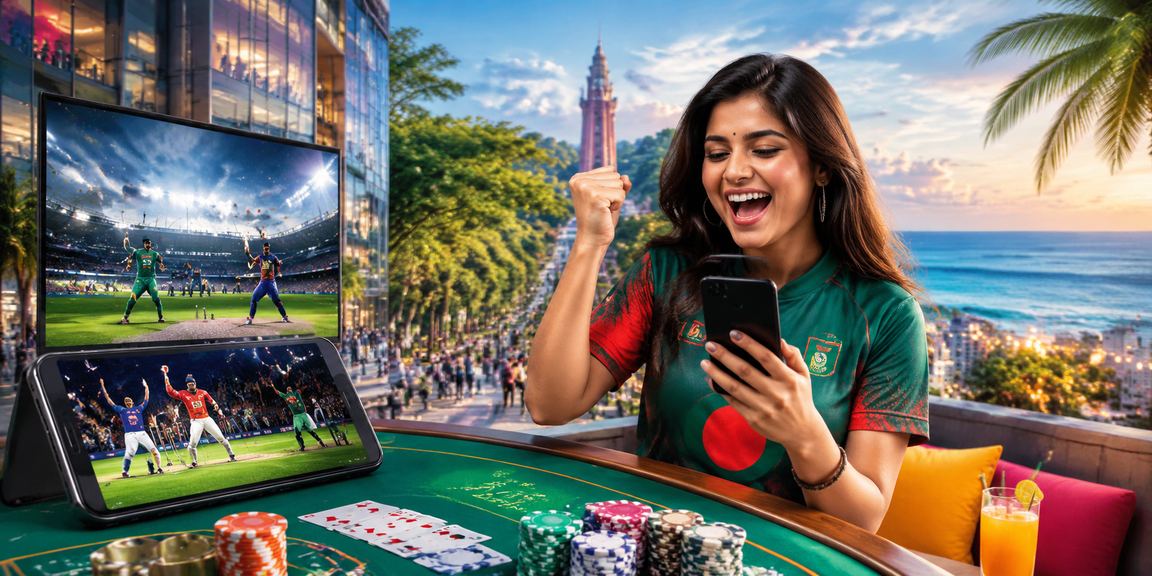
On the bus, during your lunch break, or at home late at night — cricket betting, casino games, and live sports are always within reach on the bdgogame app.

Android APK
v4.2.1 · 48 MB
iOS App
v4.2.0 · 52 MB
Mobile Web
Runs in Browser
App Ratings & Stats
4.8
Average Rating
★★★★★
5L+
Download
In Bangladesh
48MB
App Size
Android
24/7
Support
Inside the App
bdgogame

Choose Your Device

Android, iOS, or straight from your browser — play on whatever works best for you.

Android APK
Download and install directly via APK file
Version 4.2.1
48 MB
Android 6.0+
Optimized for Bangladeshi networks Free Download Virus-Free
Android APK Download Register first
iOS App
A seamless gaming experience on iPhone and iPad
Version 4.2.0
52 MB
iOS 13.0+
Touch ID Support Face ID Login Retina Display
Download iOS App Register first
Mobile Web
Play directly in your browser — no installation needed
Instant Access
Any browser
All Devices
Chrome Support Safari Support No Storage Required
Go to Web Version Log In
bdgogame

How to Install on Android

Get the bdgogame app running on your Android phone in just a few steps

1
Register
Start by creating an account on bdgogame. Registration is free and takes under 2 minutes.
2
Download APK
Tap the "Download Android APK" button above. The file will be saved to your phone's Downloads folder.
3
Enable Unknown Sources
Go to Settings → Security → Unknown Sources and enable it. This is a one-time step.
4
Install APK
Go to your Downloads folder, tap the bdgogame.apk file, and hit the "Install" button.
5
Log In and Play
Once installed, open the app, log in to your account, and claim your first bonus.

How to Install on iOS

Running the bdgogame app on an iPhone or iPad is completely straightforward.
1
Create Account
Start by registering at bdgogame. You can create an account quickly using your mobile number or email.
2
Go to Download Link
Tap the "Download iOS App" button above. For best results, use Safari.
3
Trust
Go to Settings → General → VPN & Device Management and select Trust for bdgogame.
4
Add to Home Screen
Open bdgogame in Safari, tap the Share button, then select "Add to Home Screen". It works just like a native app.
5
Enjoy
Tap the icon from your home screen, log in, and enjoy gaming from anywhere.
bdgogame

What makes the bdgogame app stand out

What you get in the app that the website doesn't offer

Push Notifications
Get instant notifications before a match kicks off, when bonus offers go live, and right after a win. Never miss what matters.
Fast Loading
Built with mobile data in mind. The bdgogame app runs smoothly even on 2G, and a data-saving mode is available too.
Biometric Login
Log in with your fingerprint or face — no more typing passwords. Fast and secure.
Live Streaming
Watch live streams of selected matches directly in the app. Bet and follow the action at the same time — no need to switch screens.
One-Tap Payment
bKash, Nagad, Rocket — deposit or withdraw in one tap using your saved payment method. No need to re-enter your number every time.
Dark Mode
A perfect dark theme for easy viewing at night — and it saves battery too. The bdgogame app comes with an eye-friendly design right out of the box.

App vs. mobile web — what's the difference?

See the comparison to find out which option works best for you

Features Android App iOS App Mobile Web
Push Notifications
Biometric Login
Offline Content
Live Streaming
Live Betting
Installation Required Yes (48 MB) Yes (52 MB) No
Loading Speed Ultra Fast Ultra Fast Fast
Data Saving
Bonus Access

The bdgogame App — Built for Mobile Users in Bangladesh


Smartphone usage in Bangladesh is growing at a rapid pace. From rickshaw pullers in Dhaka to businessmen in Chittagong — nearly everyone carries a smartphone today. bdgogame built its mobile app with this reality in mind. Rather than squeezing a desktop site onto a smaller screen, bdgogame was designed mobile-first from the ground up.

Internet connectivity in Bangladesh can be unpredictable. 4G isn't always available everywhere — networks can be weak in rural Rajshahi or the tea garden areas of Sylhet. The bdgogame app was built with this in mind. It runs smoothly on low bandwidth, with compressed images and animations to keep data usage to a minimum.

The bdgogame app has full Bengali language support — menus, buttons, and notifications are all available in Bangla. Many international gaming platforms don't offer this, but bdgogame was built with Bangladeshi users specifically in mind.

Easier payments, more enjoyable betting

BKash, Nagad, and Rocket are part of everyday life in Bangladesh — and all three work seamlessly on the bdgogame app. Deposits go through in just 20–30 seconds, and withdrawals after a win land in your account within 10 to 20 minutes.

Once you save a payment method, you won't need to re-enter your number next time. Just confirm with your PIN or biometrics and you're done. These small conveniences are what set the bdgogame app apart.

No compromise on security

The bdgogame app is equipped with SSL encryption, two-factor authentication, and session management — all the security features you'd expect. If anyone tries to access your account, you'll be notified immediately. Your balance and personal information are fully protected.

It's natural to have questions about downloading an APK, but the file from bdgogame's official site is completely safe. Every version goes through a third-party security audit before release.

Every update brings something new

Bdgogame rolls out regular app updates, each bringing new games, better performance, and features requested by users. You can see exactly what changed in the "What's New" section inside the app. With auto-update enabled, you'll never be stuck on an outdated version.

Downloading the bdgogame app is more than just getting a gaming platform — it's a complete entertainment experience. Cricket betting, casino games, live dealers, sports updates — all in one place. Once you pick up your phone, you won't need to look anywhere else.

bdgogame

FAQ

Your most common questions about downloading and installing — answered

Yes, completely safe. APK files downloaded from bdgogame's official website go through regular security audits and are free from malware and spyware. Just make sure you always download from the official site only.

The bdgogame app runs on Android 6.0 and above, which covers most Android phones released after 2016. If your phone runs an older version, you can use the mobile web version instead.

The most common issue is Unknown Sources not being enabled. Go to Settings → Security → Unknown Sources and turn it on. If you're still having trouble, reach out to bdgogame's 24/7 support team — live chat is available right inside the app.

You don't need an account to download the APK file. However, an account is required to play games or place bets in the app. Registration is free and only takes a few minutes.

When a new version is available, you'll get a notification inside the app and can update directly from there. Alternatively, download the latest APK from this page and install it over the existing one — your data won't be lost.

Yes. You can use the same bdgogame account to log in across the mobile app, mobile web, and desktop. Your balance, betting history, and bonuses stay synced across all devices.

Download today and claim your bonus

Download the bdgogame app and get a special welcome bonus on your first deposit. Registration is completely free.

Register for Free Log In
বাংলা